
Observers
Overview
An Observer is a passive role that allows users to view a read-only version of an in-progress workflow. Observers can make comments where comments are enabled. However, observers cannot make changes nor submit a form.
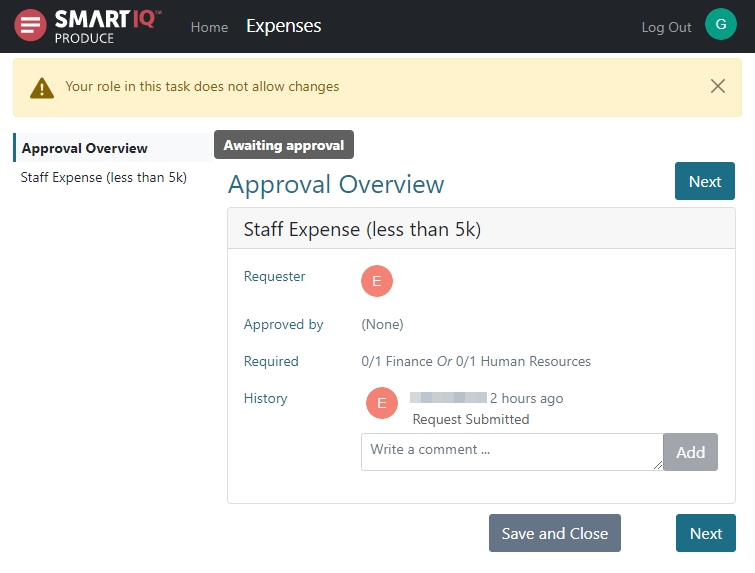
The observer roles are applied to workflow states (including approvals), where different workflow states might have different observers appropriate to the business process. Observers can be combinations of particular users or user groups.
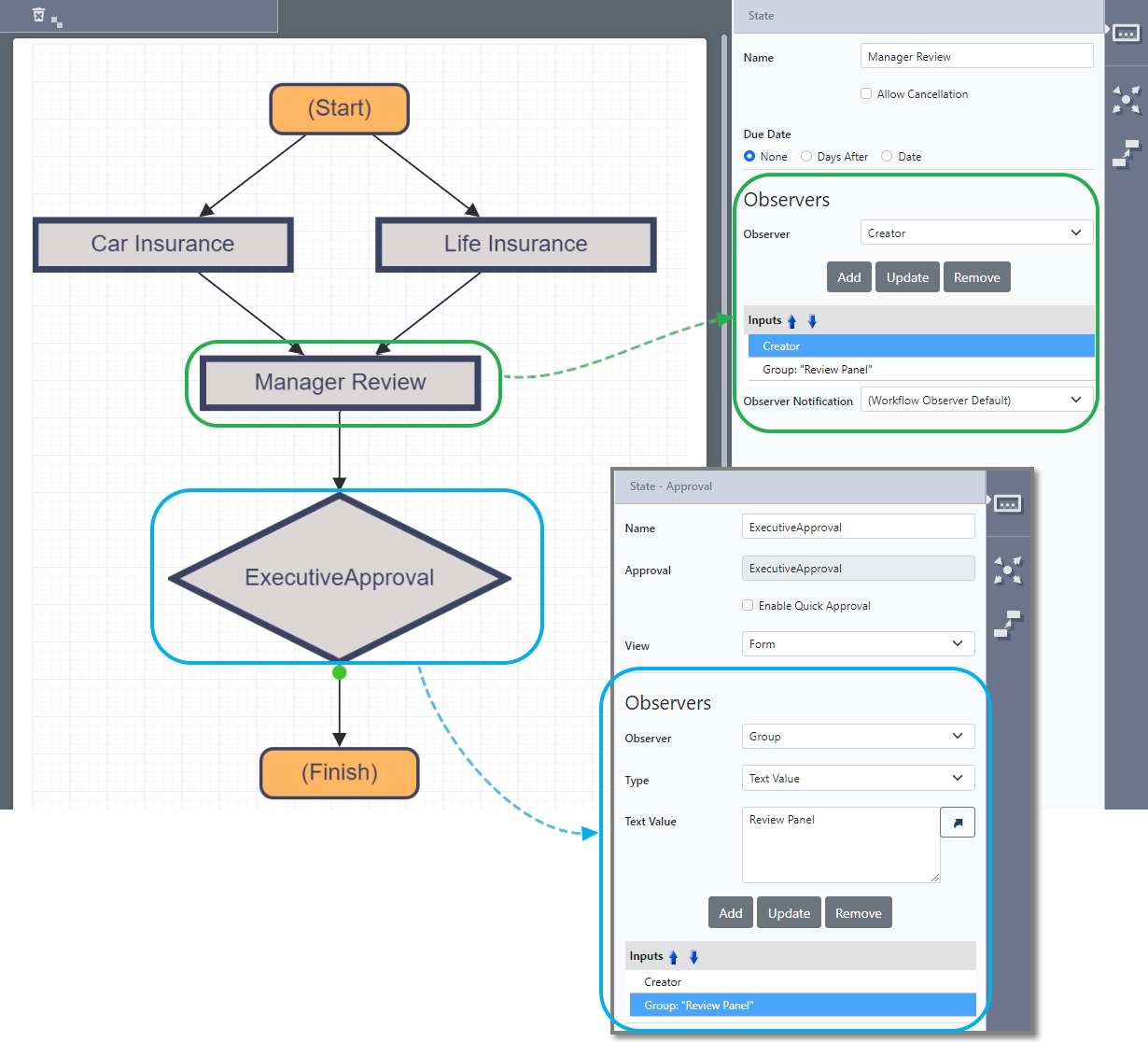
Adding an Observer
Observers are added to appropriate workflow states in Design.
- Add or select a workflow state or approval.
-
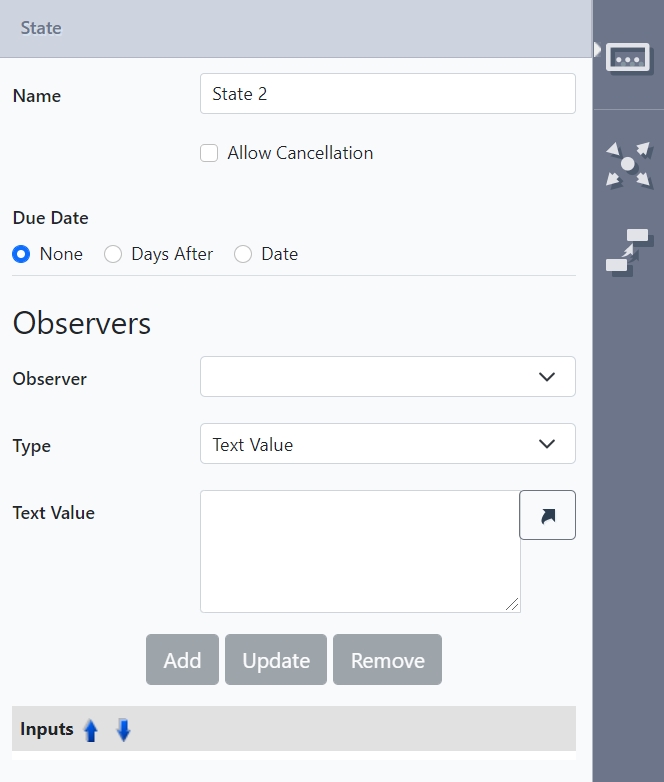
Add an Observer:
a. Select an observer from the drop-down:
- For Creator, Previous, and Current user, proceed to the next step.
- For Users or Group, select the type of input and values.
b. Click Add. Repeat if there is more than one input.
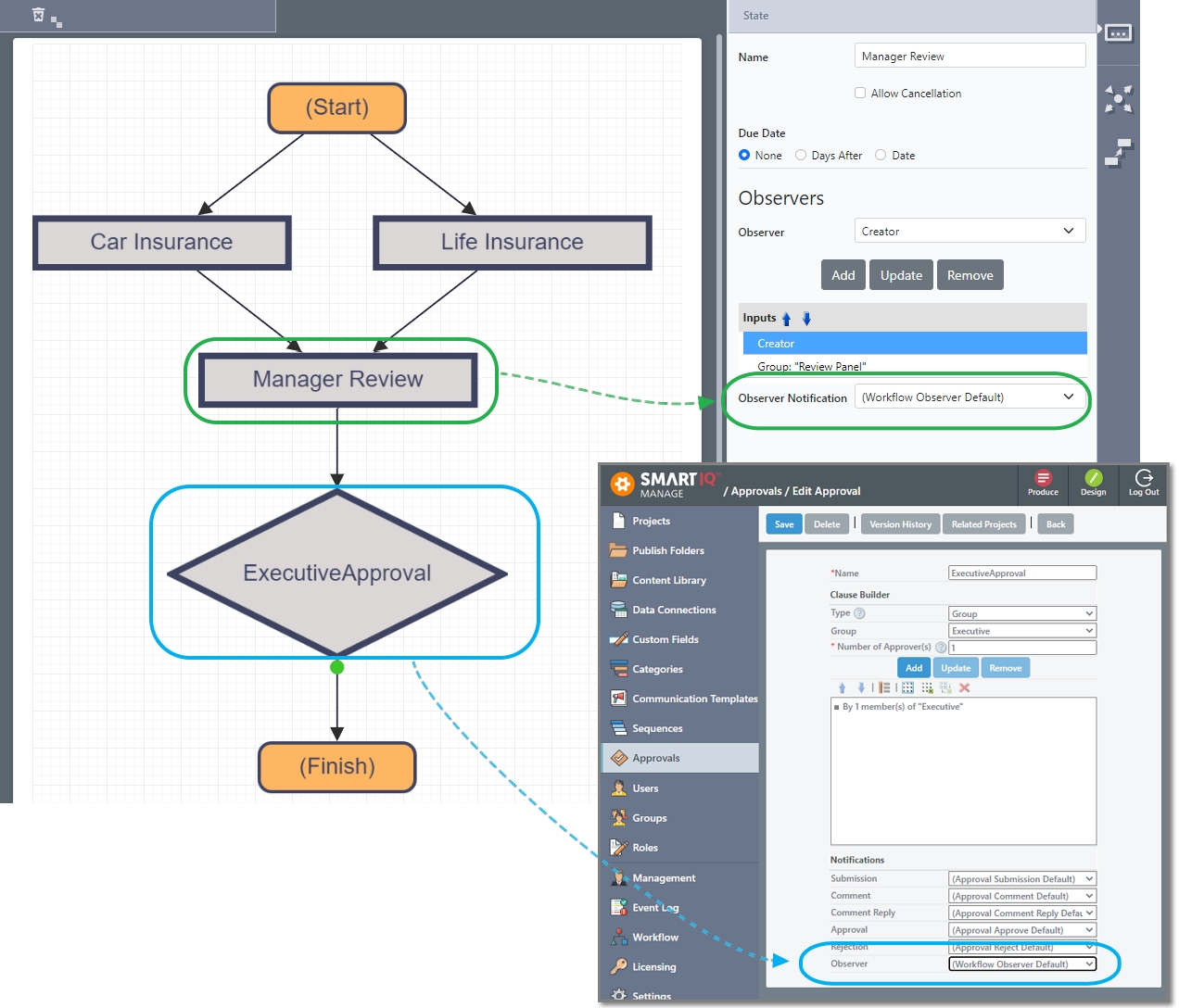
c. If the selected state is not an approval, a notification template can be selected. Refer to Notifications for more information.
-
Repeat to add more observers.
Notifications
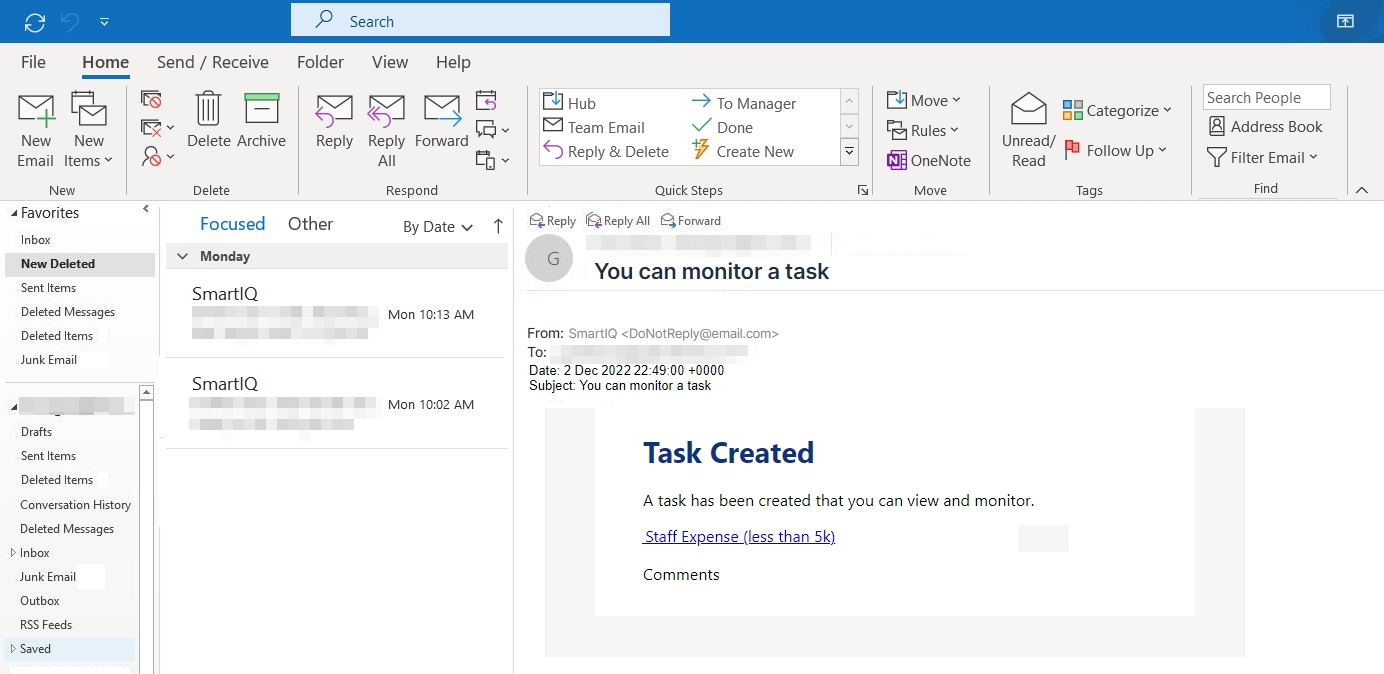
Notifications can be sent to the stakeholders, which can be customized through communication templates. Which observer Communication Template to send is configured in either the Approval properties page in Manage or directly in the workflow properties in Design.
These notifications should provide a [ProjectLink] directly to the form that, when accessed, provides a read-only view of the form as well as an alert to indicate that this role does not allow changes.
NoteWorkflows for which the current user can observe do not appear in the SmartIQ home page. If a list of such workflows is required, create a Dashboard and use any of the following data objects:
- User Assigned and Group Observer Tasks
- User Assigned Observer Tasks
- User Group Observer Tasks
Updated about 1 year ago