
System Requirements
System Components
The Infiniti system can be installed in a variety of deployment models, from a single machine deployment through to more complex server farms with database clusters.
Depending on the deployment model your client and server systems may include the following:
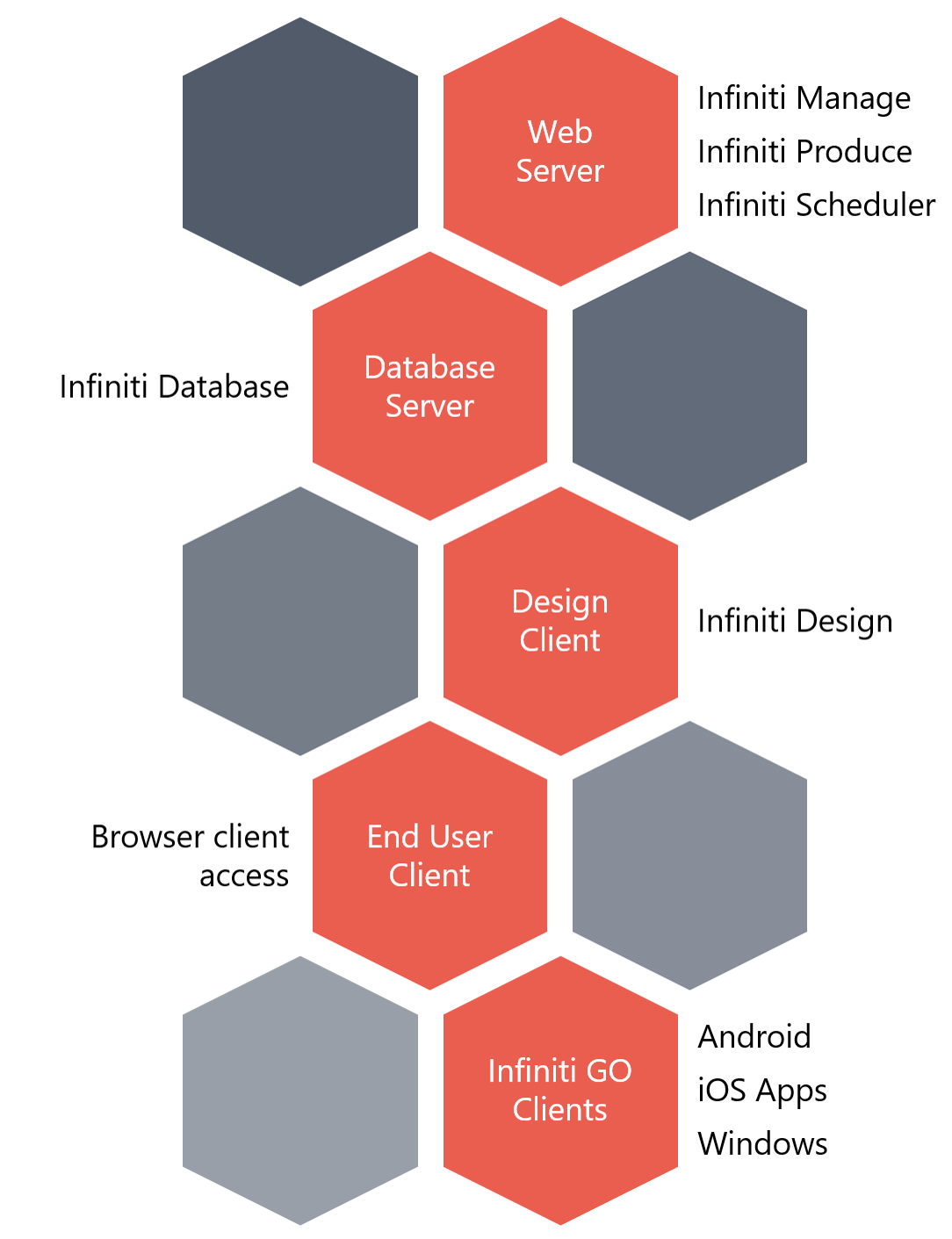
System Components
This section lists the minimum system requirements recommended to run Infiniti in a low demand environment such as for development or testing. These requirements should be scaled appropriately according the needs of the target environment, especially for production use.
Web Server
| Item | Minimum Requirements |
|---|---|
| Processor | 32-bit or 64-bit single core CPU |
| Memory | 2GB RAM |
| Hard Disk | 4GB free space |
| Operating System | Supported server operating systems:
|
| Framework | Microsoft .NET Framework 4.6.2 or later |
| IIS Web Server | Microsoft Internet Information Services (IIS) 7* or later with the following additional features enabled: Application Development Features
|
| IIS HTTP Verbs | In the IIS Request Filtering panel, click the HTTP Verbs tab and allow the following verbs: Manage
|
Additional softwareIf using IIS 7 on Windows 7 or Windows Server 2008 R2, you should also install KB980368 available for download from the Microsoft website, which fixes an issue with extensionless URLs required by Infiniti.
Database Server
| Item | Minimum Requirement |
|---|---|
| Processor | 32-bit or 64-bit single core CPU |
| Memory | 2GB RAM |
| Hard Disk | 1GB free space |
| Operating System | Supported server operating systems:
|
| Framework | Microsoft .NET Framework 4.6.2 or later |
| SQL Server | Microsoft SQL Server 2008 / 2008 R2 / 2012 / 2014 / 2016 / 2017
|
End User Client (Web)
| Item | Minimum Requirements |
|---|---|
| Processor | 32-bit or 64-bit single core CPU |
| Memory | 1GB RAM |
| Operating System | Any that support the web browsers listed below |
| Web Browser |
|
Infiniti GO Devices
| Item | Minimum Requirements |
|---|---|
| Windows |
|
| Android |
|
| iOS |
|
Offline ModeWhile Infiniti GO supports offline use, devices will require a network connection to Produce when synchronizing information.
Azure PaaSInfiniti could also be deployed in Azure PaaS, for more information [doc:infiniti-paas-components]
Updated over 1 year ago